Die 6 besten CCleaner-Alternativen im Jahr 2026, die Sie unbedingt ausprobieren sollten

CCleaner is a well-known PC cleaning tool that helps users remove junk files, clear browser data, manage startup programs, and free up disk space. However, it may not meet everyone’s needs. Some users want a simpler cleaning experience, while others need more advanced features for managing storage, optimizing Windows performance, or protecting their privacy.
In this article, we’ll introduce the six best CCleaner alternatives in 2026, including their main features, advantages, and disadvantages. Whether you’re looking for a beginner-friendly cleaner or a more powerful PC maintenance solution, you can find an option that suits your needs.
1. CleanBee – Best for Simple and Safe Disk Cleanup
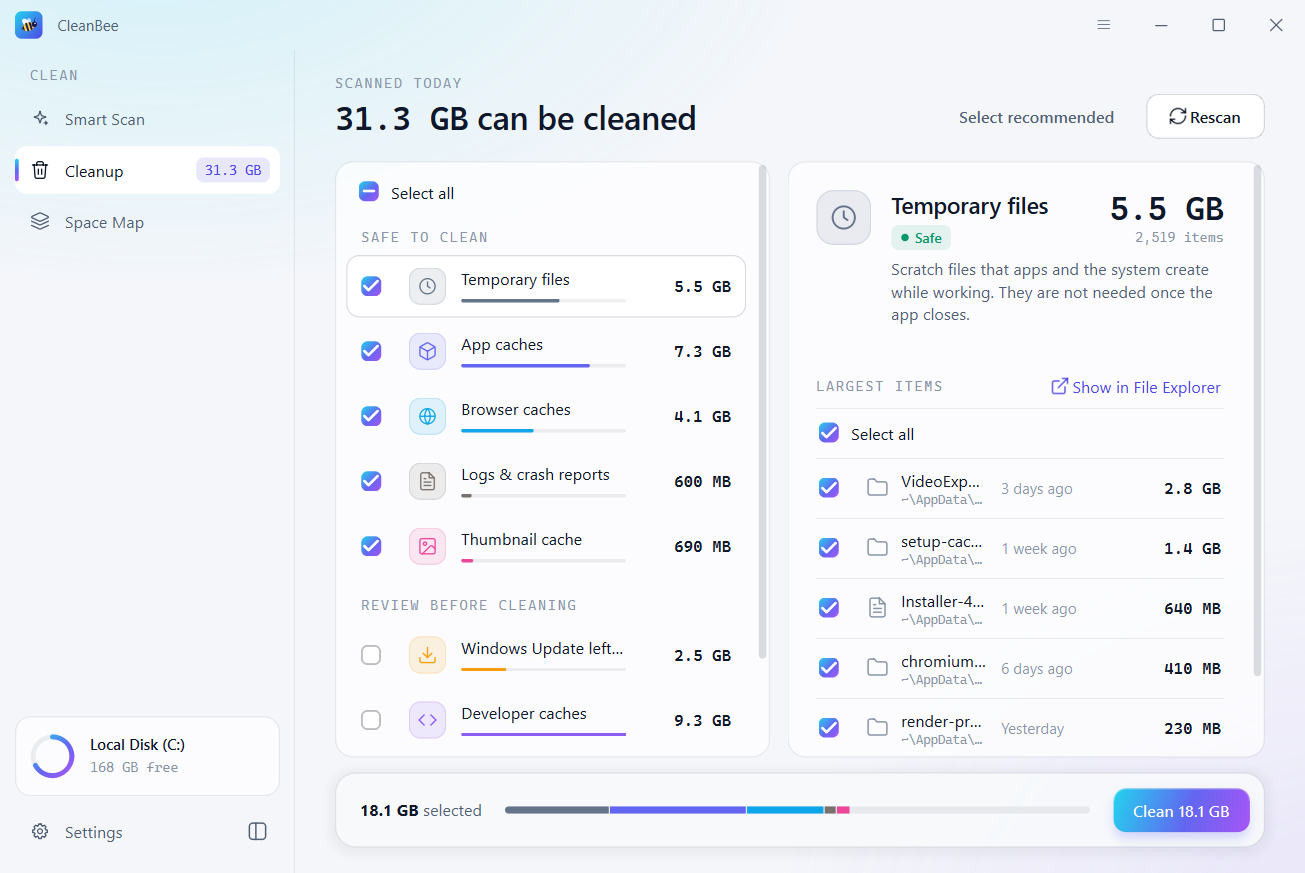
Swyshare CleanBee is a disk cleaning utility designed to help users identify and remove unnecessary files without accidentally deleting important personal data. Unlike traditional PC optimization suites that offer numerous system management tools, CleanBee focuses on making disk cleanup straightforward and easy to understand.
One notable feature is its safety-oriented cleaning process. Cleaned items are moved to the Recycle Bin on Windows or Trash on Mac by default, allowing users to restore them if necessary.
Hauptmerkmale:
- Smart Scan to identify junk files and unnecessary data.
- Remove temporary files, browser caches, application leftovers, and logs.
- Display large files and folders through Space Map.
- Help Mac users inspect and reclaim storage occupied by System Data.
- Schedule scans and receive low-storage alerts.
- Preview cleanup results before deleting anything.
Vorteile:
- Simple and beginner-friendly interface.
- Supports both Windows and macOS.
- Allows users to review files before cleaning.
- Provides a way to restore cleaned items.
Nachteile:
- Free version has a 500 MB cleaning limit.
- Advanced cleanup features require a Pro license.
- Focuses more on disk cleanup than comprehensive system optimization.
2. BleachBit – Best Free and Open-Source Alternative
BleachBit is a popular free alternative to CCleaner, particularly for users who prioritize privacy and want greater control over the cleaning process. As an open-source program, it allows users to inspect and customize its cleaning capabilities.
Hauptmerkmale:
- Clean temporary files, caches, cookies, and logs.
- Remove browsing history and other privacy traces.
- Shred sensitive files to prevent recovery.
- Wipe free disk space.
- Support custom cleaning rules and command-line operations.
Vorteile:
- Completely free and open source.
- No account registration required.
- Supports Windows and Linux.
- Offers extensive cleaning customization.
Nachteile:
- Interface may be less intuitive for beginners.
- Some advanced cleaning options require technical knowledge.
- Does not provide a complete PC optimization toolkit.
3. Microsoft PC Manager – Best for Windows Maintenance
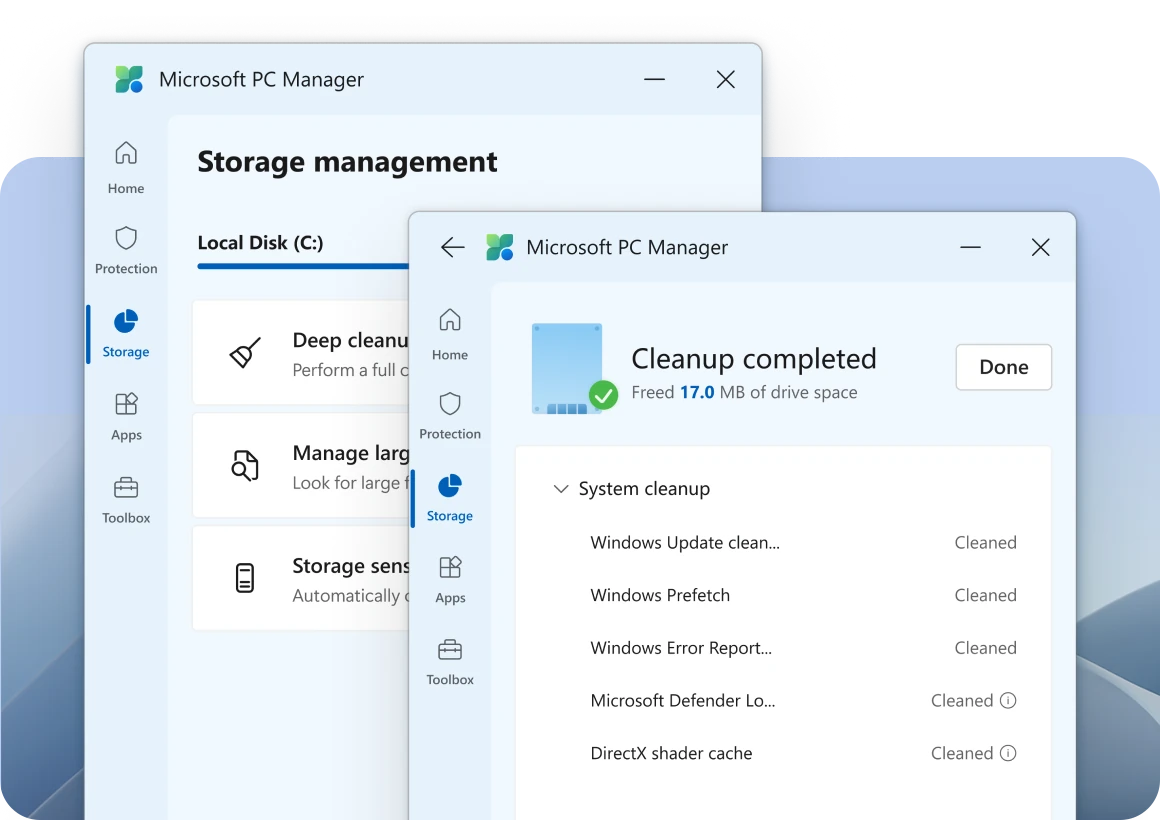
Microsoft PC Manager is a free computer maintenance application designed to help Windows users manage storage, clean unnecessary files, and improve system performance. It provides a convenient alternative to CCleaner without requiring users to install multiple maintenance utilities.
Hauptmerkmale:
- Remove temporary files and unnecessary system data.
- Manage disk space and identify large files.
- Optimize system performance with PC Boost.
- Manage startup applications.
- Perform system health checks.
- Reduce unwanted application pop-ups.
Vorteile:
- Kostenlos zu verwenden.
- Simple and beginner-friendly interface.
- Designed specifically for Windows.
- Combines several useful maintenance tools.
Nachteile:
- Only supports Windows.
- Offers fewer advanced cleaning options than some third-party utilities.
- Availability may vary by region.
4. Glary Utilities – Best All-in-One PC Cleaner
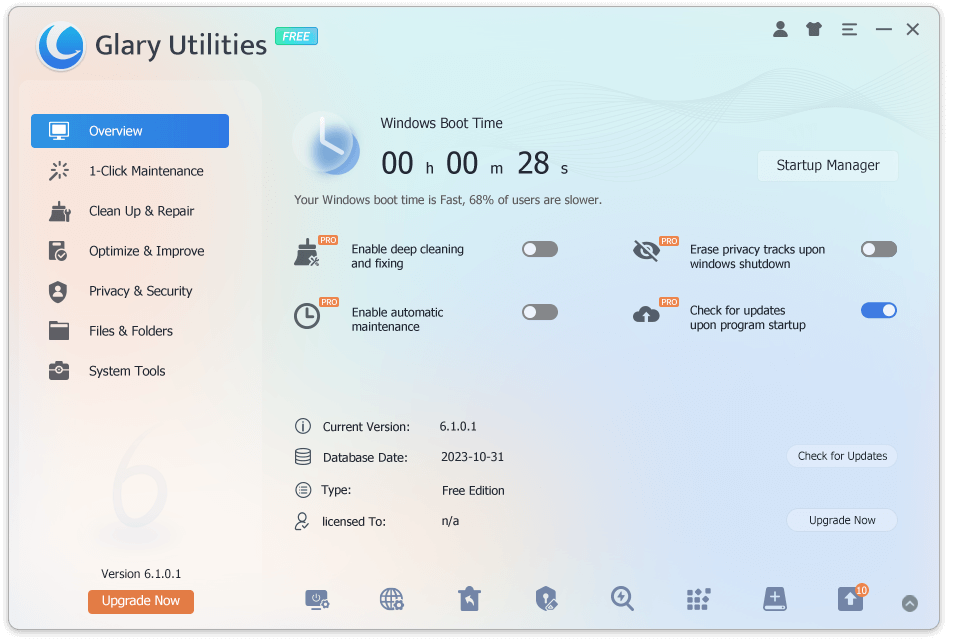
Glary Utilities is a comprehensive PC maintenance program that provides more than 20 utilities for cleaning, optimizing, and managing Windows computers. It is a strong CCleaner alternative for users who want multiple maintenance functions in one application.
Hauptmerkmale:
- Clean junk files and temporary data.
- Manage startup applications and running processes.
- Find duplicate files and analyze disk usage.
- Remove unwanted programs and leftover files.
- Clean browser history, cookies, and caches.
- Recover accidentally deleted files.
Vorteile:
- More than 20 maintenance utilities.
- Offers a free version.
- Includes duplicate file detection.
- Provides one-click maintenance.
Nachteile:
- The interface may seem crowded to beginners.
- Some advanced features require a paid upgrade.
- Certain optimization functions should be used carefully.
5. IObit Advanced SystemCare – Best for Automated System Cleanup
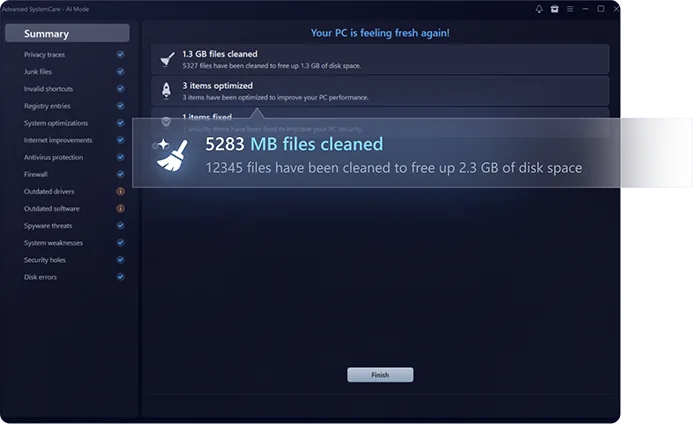
IObit Advanced SystemCare is an all-in-one PC optimization tool designed to help users clean unnecessary files, improve system responsiveness, and maintain their computers. It is particularly suitable for people who prefer automated maintenance instead of manually adjusting different system settings.
Hauptmerkmale:
- Scan and remove junk files.
- Optimize Windows startup and system settings.
- Clean privacy traces and browsing data.
- Optimize memory usage.
- Provide system security and browser protection features.
- Offer one-click PC maintenance.
Vorteile:
- Beginner-friendly interface.
- Free edition available.
- Combines cleaning and optimization tools.
- Convenient automated maintenance.
Nachteile:
- Some features require a Pro subscription.
- May display promotional upgrade recommendations.
- Additional optimization settings should be reviewed before applying.
6. Wise Disk Cleaner – Best Lightweight Disk Cleaning Tool
Wise Disk Cleaner is a lightweight alternative to CCleaner that focuses on removing unnecessary files and recovering disk space. It is suitable for users who don’t need a large collection of system optimization utilities but want an effective way to maintain their hard drives.
Hauptmerkmale:
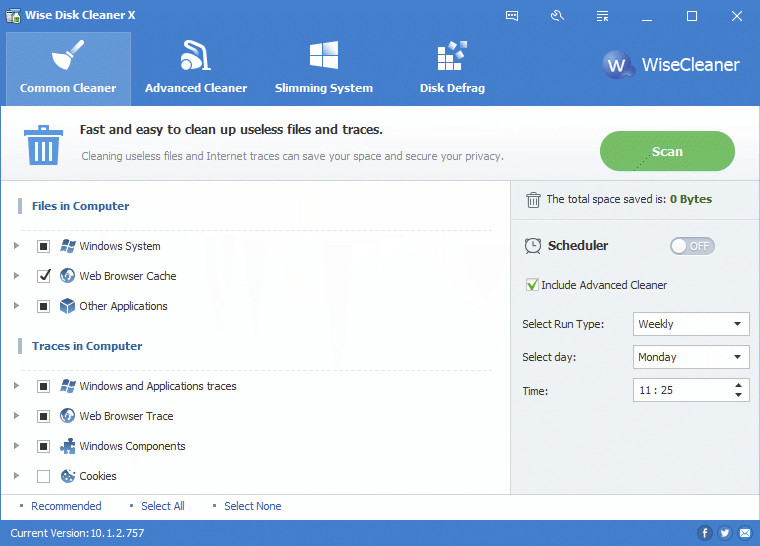
- Remove temporary files, system junk, and browser caches.
- Clean traces of Windows and application activities.
- Scan for unnecessary files using advanced cleaning options.
- Schedule automatic disk cleaning.
- Defragment compatible hard drives.
Vorteile:
- Free and lightweight.
- Simple interface.
- Provides multiple cleaning modes.
- Includes scheduled cleaning and disk optimization.
Nachteile:
- Windows-only support.
- Fewer comprehensive system optimization features than all-in-one suites.
- Disk defragmentation is not recommended for SSDs.
7. Fazit
There are many excellent CCleaner alternatives in 2026, each offering different features for PC maintenance. CleanBee is a good choice for simple and safe disk cleanup, BleachBit is ideal for privacy-conscious users, and Microsoft PC Manager provides convenient Windows maintenance. Meanwhile, Glary Utilities and IObit Advanced SystemCare offer more comprehensive optimization tools, while Wise Disk Cleaner is suitable for lightweight disk cleaning.
Ultimately, the best choice depends on your needs. Compare their features, review what each tool removes, and choose a reliable solution that helps keep your computer clean without risking important files.