The Full List of Instant Replay Screen Recorders to Save Unexpected Highlights

In a world where every moment might be share‑worthy — a clutch victory in a game, a surprise error in a video call, an unplanned desktop glitch, or a funny spontaneous moment — remembering to hit “record” ahead of time isn’t always realistic. That’s where “instant replay” (or “replay buffer”) screen recorders shine. This article provides a broad roundup of popular screen‑recording tools promising some form of instant‑replay or retroactive capture — from simple, user‑friendly recorders to advanced, configurable tools.
1. What is “Instant Replay”?
“Instant Replay” — also referenced as “replay buffer,” “background recording,” or “DVR mode” — is a screen recording approach where the software continuously captures your screen (and optionally audio) into a temporary memory buffer, without writing to disk. Nothing is permanently saved unless the user triggers a “save last X seconds/minutes” or similar command.
Benefits:
- Capture Unexpected Highlights — save gaming wins, bugs, or funny moments without anticipating them.
- Lower Disk Usage — only meaningful clips are saved.
- Flexible Use — great for gaming, calls, tutorials, bug reporting, and creative projects.
- Adjustable Buffer — set duration from seconds to minutes as needed.
2. Best Instant‑Replay Screen Recorder Software
Below are several of the most useful and relevant screen‑recording tools — grouped by typical use case and user familiarity.
2.1 Swyshare Recordit
For users seeking simplicity over complexity, Swyshare Recordit is a strong candidate. It is a lightweight screen recorder designed to work for gaming, desktop tasks, tutorials, meetings, livestream prep, and more.
Key features:
- Smoothe Recording – record without lag, black screens, or dropped frames.
- Capture Screen, Audio, and Webcam — all-in-one recording.
- Record Last ** Seconds — instantly save unexpected highlights.
- Schedule Recording — automate capture at set times.
- High-Quality Export — output in popular formats like MP4, GIF, AVI.
- Built-in Video Editor — add logo/watermark, resize, and trim videos.
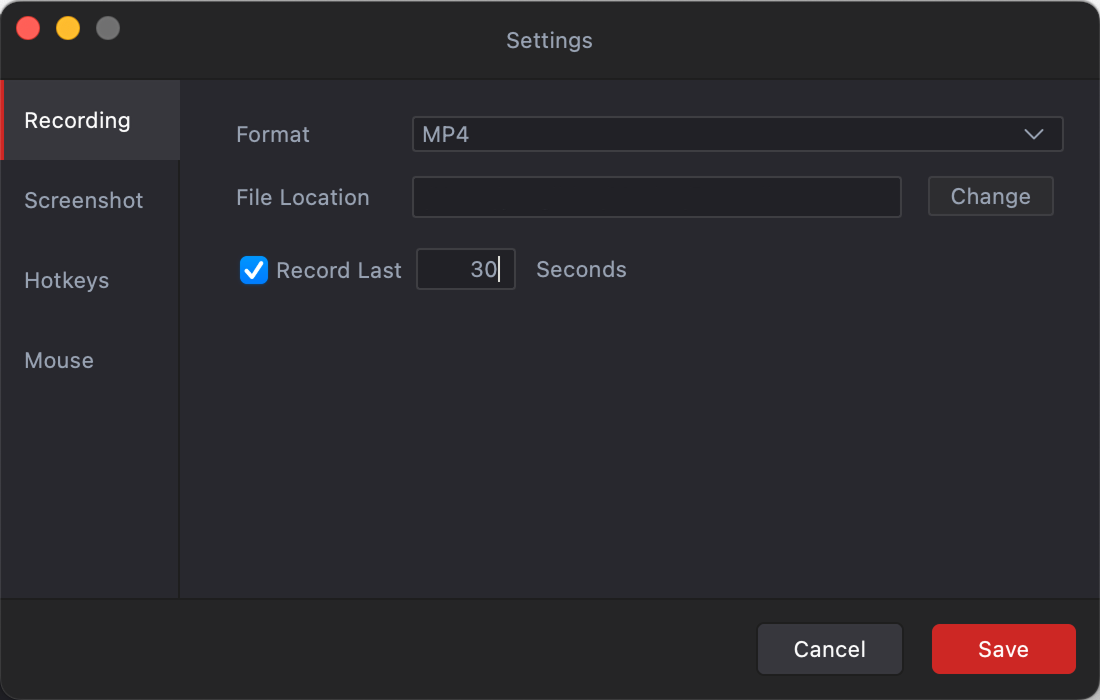
Limitations : As with many simpler tools, you may have less fine‑grained control compared to heavy-duty, game‑oriented recorders.
2.2 NVIDIA ShadowPlay
For PC gamers, especially those with NVIDIA GPUs, ShadowPlay remains one of the top instant‑replay solutions. It is hardware‑accelerated (using NVIDIA’s NVENC encoder), which means recording with minimal to no CPU overhead — ideal for high-performance gaming where frame rates matter.
Key features:
- Instant Replay — continuously buffer gameplay and save the last X seconds with a hotkey.
- High-Quality Output — up to 4K HDR at 60 FPS (8K HDR on newer hardware).
- Easy to Use — integrated with GeForce Experience, with hotkeys and overlays.
- Extra Features — full-session recording, screenshots, GIFs, and livestream support.
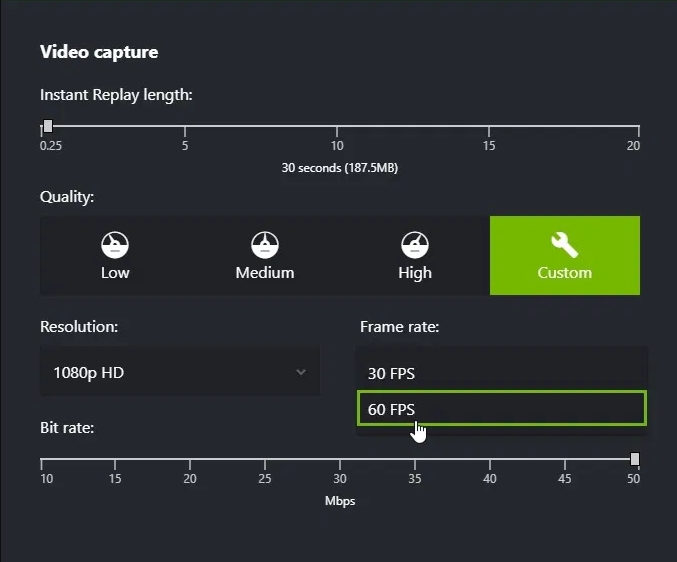
Limitations: Requires a supported NVIDIA GPU and is optimized for gaming, making it less suitable for AMD/integrated graphics or complex desktop app recording.
2.3 AMD Radeon ReLive
If your PC runs an AMD GPU rather than NVIDIA, AMD offers its own built-in recording/streaming solution with replay‑buffer capabilities.
Key features:
- Instant Replay / Background Recording — buffer adjustable from a few seconds up to 20 minutes.
- Flexible Screen Capture — full-screen, windowed, or region capture for gaming or desktop tasks.
- Audio Capture — system sound, microphone, or both for commentary or meetings.
- Hardware-Accelerated Recording — efficient, minimal-lag capture using AMD GPU encoding.
- Instant GIF Export — quickly save short highlights for easy sharing.
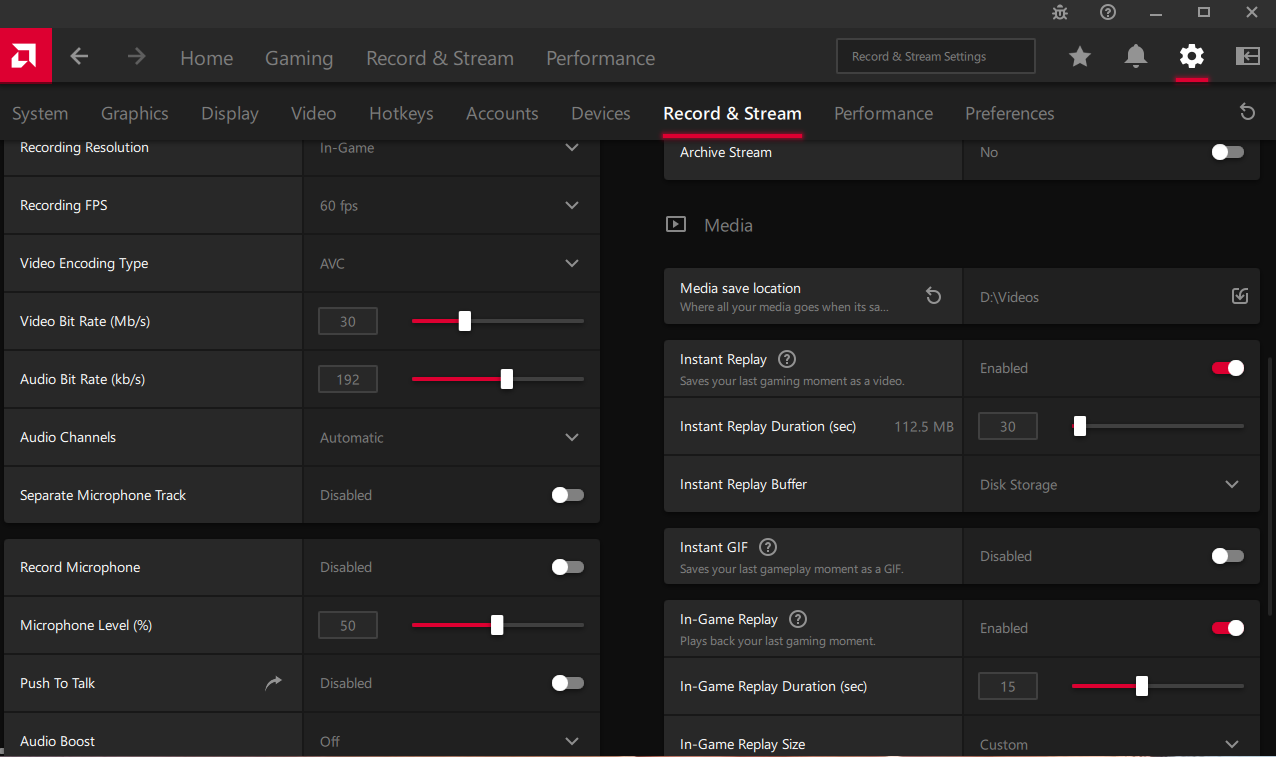
Limitations: Best used on AMD hardware, it’s powerful but offers fewer features than dedicated recording/editing suites, particularly for overlays, complex scenes, or cross-platform use.
2.4 OBS Studio
For users needing maximum flexibility—streamers, tutorial creators, or multi-source recorders—OBS is a powerful free tool with a Replay Buffer feature that emulates DVR-style capture.
Key features:
- Cross-Platform — Windows, macOS, and Linux.
- Multi-Source Capture — mix game, window, display, webcam, and audio.
- Replay Buffer — save recent activity with adjustable buffer duration.
- Wide Hardware Support — works with NVIDIA, AMD, Intel, or CPU encoding.
- Streaming & Editing Ready — supports overlays, scene switching, and live streaming.
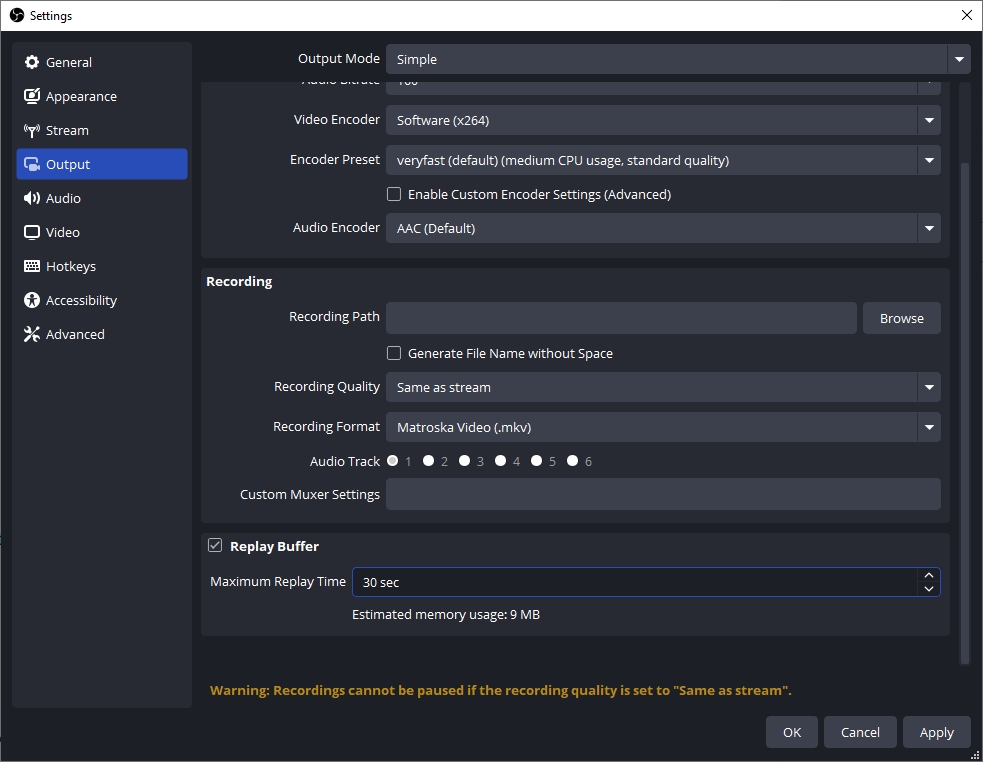
Limitations : Needs manual setup for Replay Buffer, hotkeys, and sources, which can be complex for casual users, and may incur higher performance overhead than GPU‑native tools.
2.5 Xbox Game Bar
If you are using Windows (10 or newer) and don’t want to install extra software, Xbox Game Bar (with its Game DVR / background recording feature) offers a built-in, straightforward option for instant-replay style capture
Key features:
- Background/retroactive capture: the system buffers recent screen or game activity, and pressing a hotkey (like Win + Alt + G) saves the last few seconds/minutes.
- Built-in: no extra install required — comes with Windows, readily available out of the box.
- Simple to use: minimal setup; suitable for casual use cases like gaming highlights or quick screen saves without complex settings or configuration.
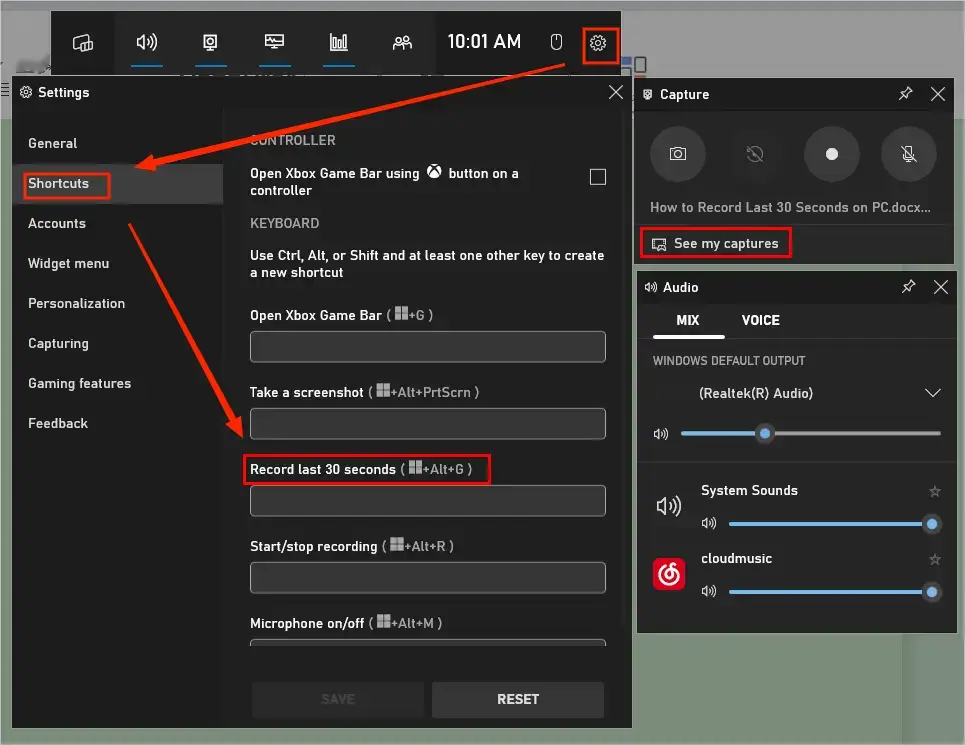
Limitations: Typically optimized for full-screen games; support for windowed apps or desktop tasks may be limited or inconsistent.
2.6 MiniTool Video Converter
While primarily known as a media format converter, MiniTool Video Converter offers a built-in screen-recording feature, which can be useful for occasional screen capture and quick recordings.
Key features:
- Screen Capture — full-screen or selected region with system/mic audio.
- Customizable Settings — adjust format, quality, frame rate, output folder, and duration.
- Easy Workflow — start/stop with hotkeys for quick recordings.
- Ideal for Basics — tutorials, meetings, or casual desktop capture.
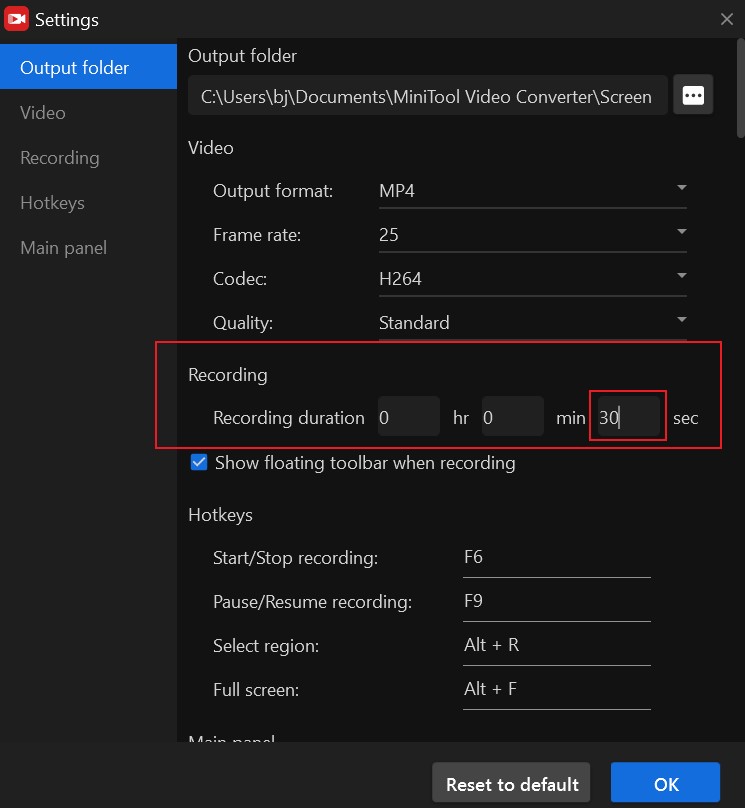
Limitations : MiniTool doesn’t prominently advertise a “replay buffer” or true DVR‑style background capture — meaning you likely need to start recording manually, rather than rely on background buffering.
2.7 VidClipper
If you’re looking for not just capturing but also quick editing of videos — trimming, merging, adding effects or overlays — VidClipper Video Editor provides a mix of features: recording, editing, converting.
Key features:
- Screen Recorder + Converter — capture desktop or apps with audio, then edit immediately.
- Basic Editing — cut, split, merge, crop, adjust resolution/bitrate/frame rate.
- Extra Effects — filters, overlays, transitions, text, and simple effects.
- Multiple Export Formats — MP4, AVI, MKV, MOV, GIF, with adjustable settings.
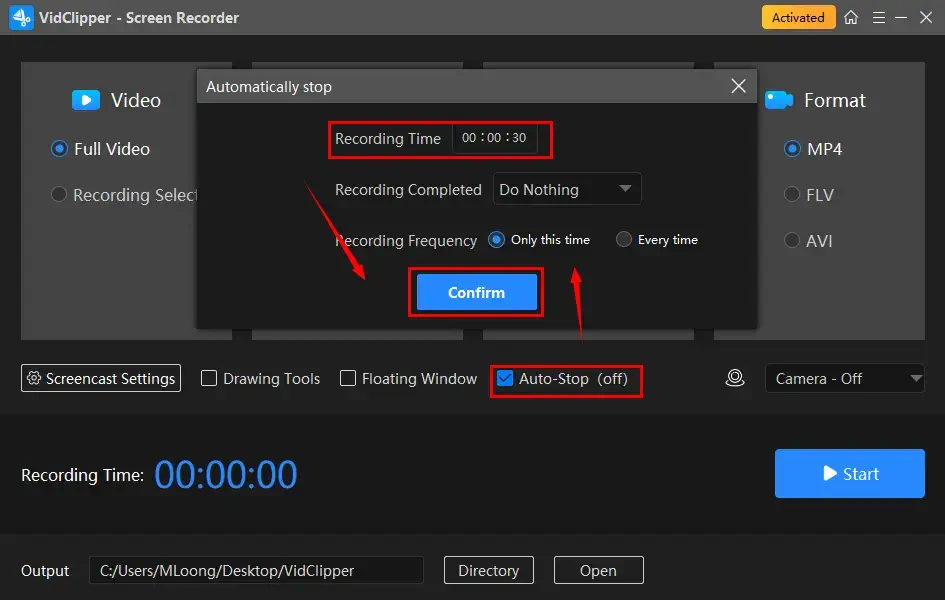
Limitations : It’s less suitable for capturing unplanned highlights retroactively, and more appropriate if you know ahead of time that you want to record.
3. Conclusion
For saving unexpected highlights — from desktop bugs to gaming wins — Swyshare Recordit is my top pick. Its user-friendly interface, flexible capture options (screen, mic, webcam, region/full-screen), multiple output formats, and “Record Last ** Seconds” feature make it ideal for everyday use.
If you need maximum performance, quality, or streaming features, ShadowPlay, OBS, or ReLive may suit better, but for simplicity, versatility, and reliable highlight-saving, Recordit stands out.